
core module in the translation site
uses a translations system called Fluent. It is
a recently-developed system that makes it easier for translators to deal with
plurals, and makes it easier for developers to provide useful comments to help
with translation.
Translations in the core module are divided up into multiple files, with each file
focusing on a particular topic, such as scheduling, deck options, and so on, as
can be seen here.
Simple Replacements
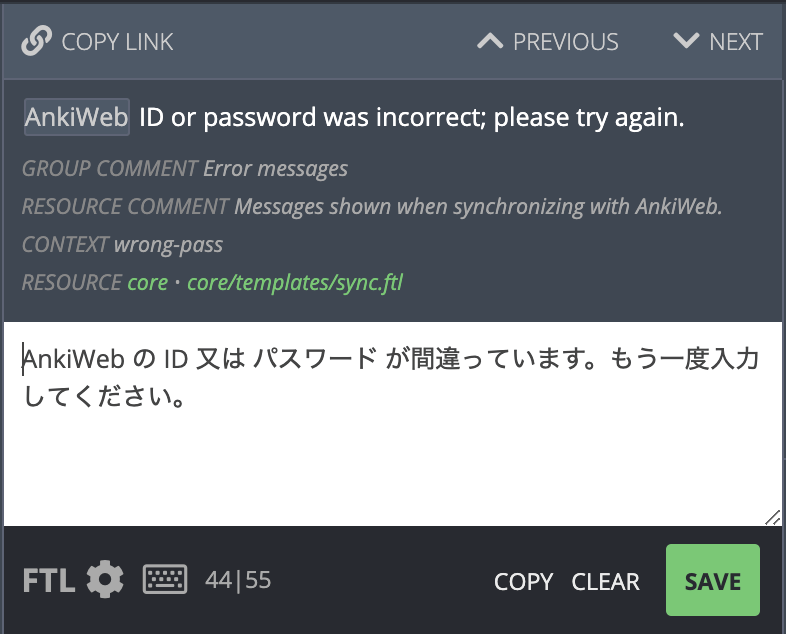
Variables
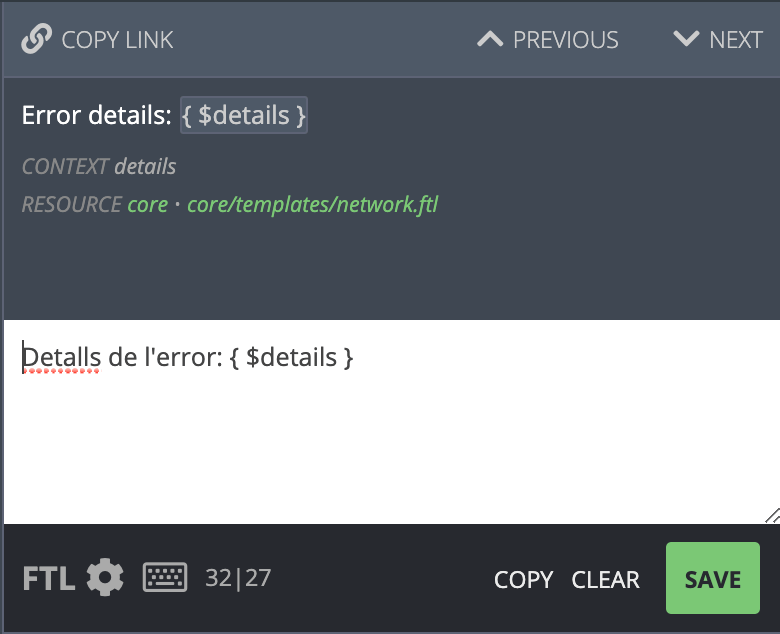
{$something} in the English text, it means that that text will
be replaced with something else. You can change the position of {$something}
in your translation, but please don’t change the text inside - you should not
attempt to translate the text inside the {...} part. You can click on the
{$something} part of the English text to automatically copy it into your
translation.
Plurals
Many languages change words depending on number. For example, English uses “1 cat”, but “3 cats”. Some of the strings to translate will look like this: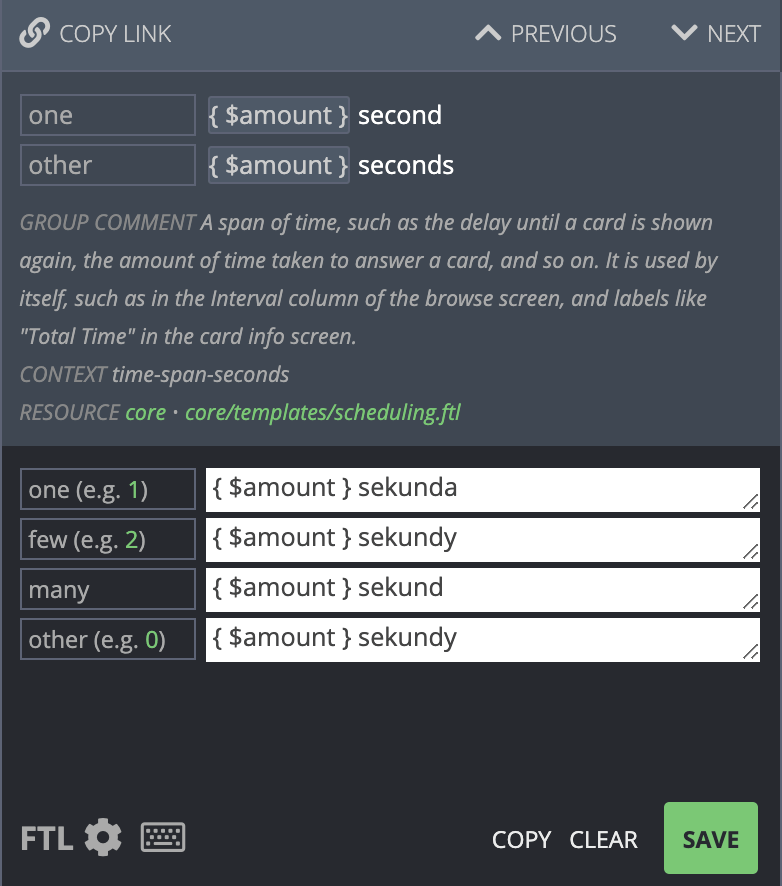
one
case (second), and the other case (seconds).
The bottom section shows the translation in Polish, which has four different
plural forms. In this case, the few case and many case have been translated
with the same translation.
The translation website should automatically show the appropriate number
of boxes for your language. Languages like Japanese that do not have separate
plural forms will only need to enter in a translation once.
Advanced Plurals
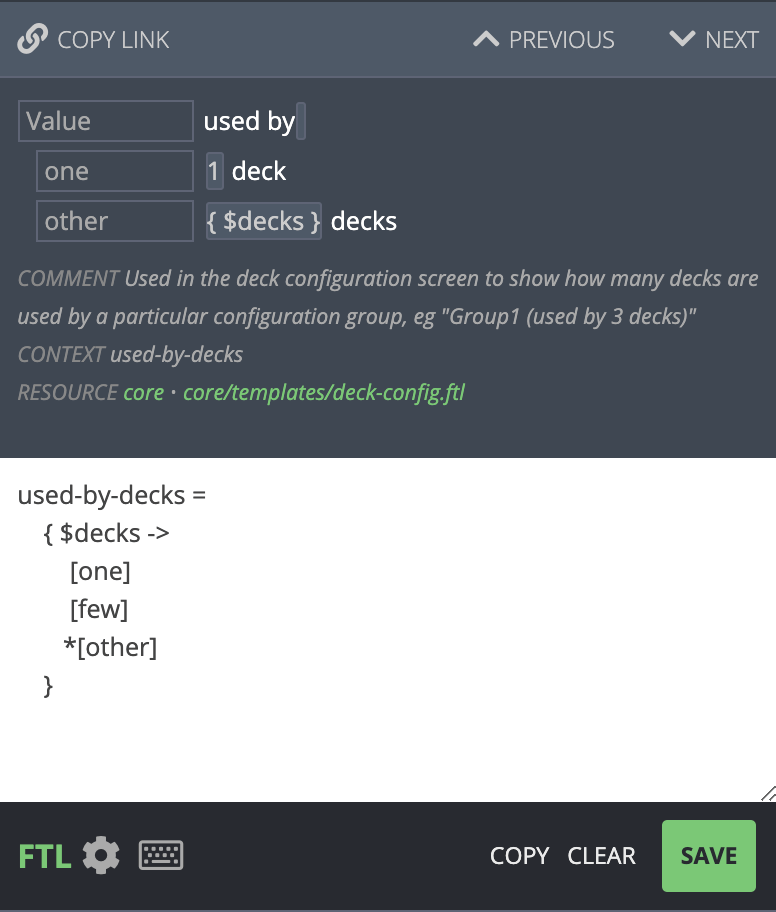
The translation website supports an advanced mode for when you need more flexibility. You can access the advanced mode by clicking on the FTL icon on the bottom left. The previous example then looks like this: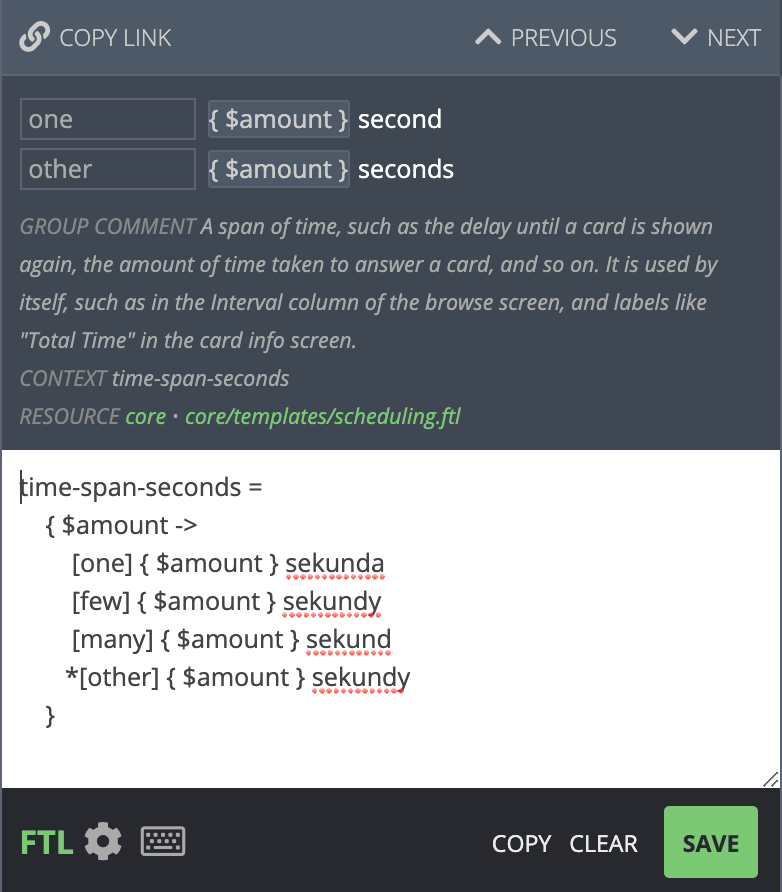
- Check the value of amount
- If the amount is
one, show{$amount} sekunda - If the amount is
few, show{$amount} sekundy - If the amount is
many, show{$amount} sekund - If the amount is
other, show{$amount} sekundy
* character before other means that any unknown value should
match other. Since in this example few is the same as other, the
text could thus be shortened to:
few is not listed here, it will be covered in the other case.
It’s generally best to list out all cases however, as otherwise the
translation website will shown a warning that you may have forgotten
to translate a case.
When writing these rules manually, please make sure to add at least one
space to the start of each line except the first.
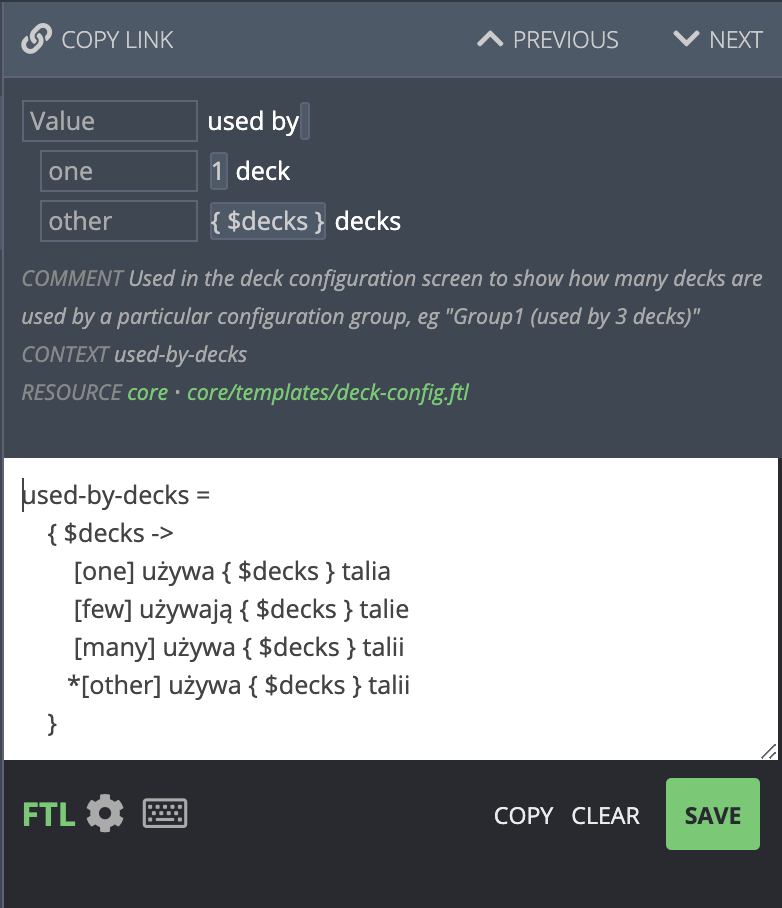
While there was little benefit from rewriting the text in this case, this
flexibility becomes useful when your language doesn’t fit well with the
structure of the original English string.
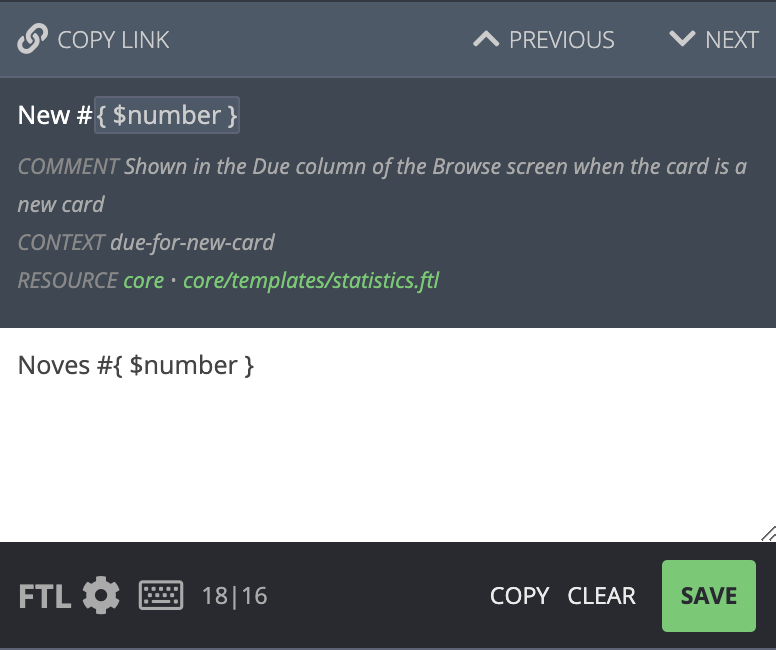
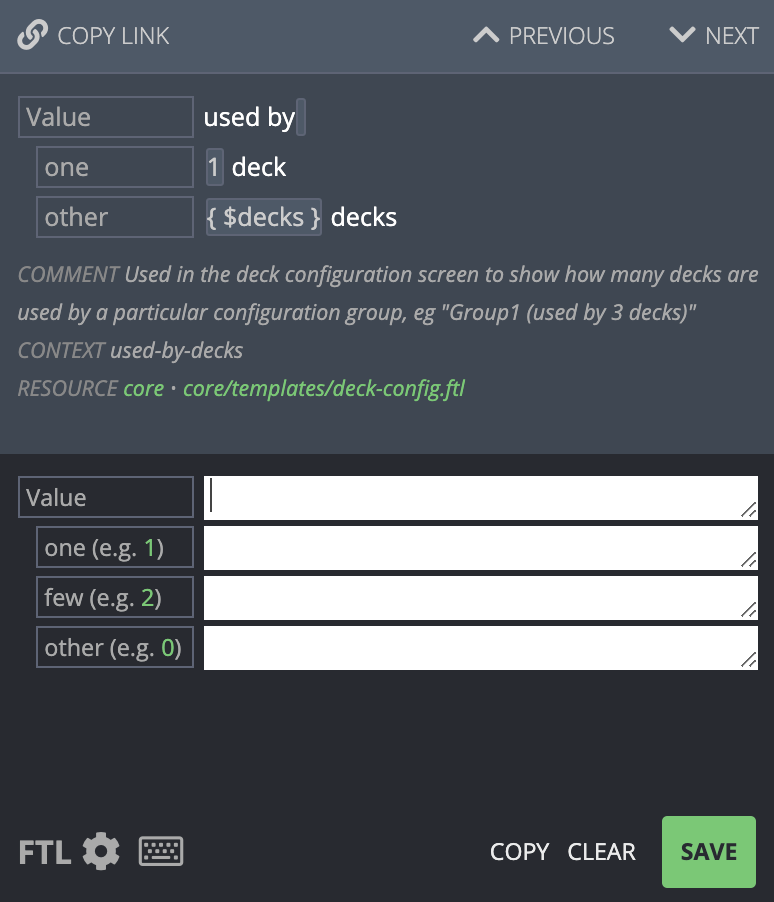
For example, when viewing cards in the Browse screen in Anki, Anki shows
new cards with a number, such as “New #1”, or “New #532”. The English
doesn’t use plurals in this case, but other languages may need to.
If you were translating this into Spanish, you’d see the following screen:
Other Languages
If you’re not sure how something should be translated, you can click on the Locales tab on the right. You can see a summary of the translation on that screen, or click on a particular language to see how it has translated all its plural forms.Special Characters
When a translated string is more than one line long, please keep an eye out for lines that start with. or [. Strings can start with these characters
on the first line, but if a translation stretches over multiple lines, these
characters will cause problems.
For example, the following is fine:
[,
and the third starts with a .:
[ or . character at the start of a a line
in a multi-line string, please escape it by wrapping it in {" and
"} - for example: